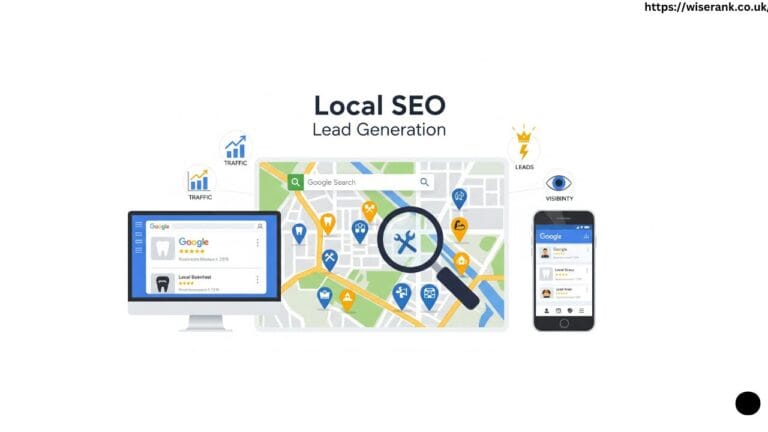
Getting your business to appear on Google Maps is one of the most effective ways to attract local customers. Whether you run a café, a repair shop, or a service business, your position in the Map Pack can decide how many people visit or call you. This complete guide explains the best Google Maps SEO ranking strategies to help your business appear higher and gain more visibility in 2025.
Understanding Google Maps SEO and Why It Matters
Google Maps SEO means optimizing your online presence so your business ranks higher in local search results. When someone searches for a service near them, such as pizza shop near me or best dentist in Karachi, Google shows three top businesses on the map. These listings appear above normal search results and often receive the most clicks.
Businesses that appear in the Map Pack enjoy higher visibility, more direction requests, and more phone calls — all of which contribute to increased organic search traffic. According to BrightLocal research, more than 70% of users visit a business within five miles after seeing it on Google Maps. That means better Maps visibility often leads directly to more sales and real visits.
How Google Maps Ranking Works?
Google ranks local businesses based on three main signals called proximity, relevance, and prominence. Understanding these helps you improve your listing naturally.
Proximity
Proximity means how close your business is to the searcher’s location. Google prioritizes nearby businesses, so your service area must be clearly defined in your Google Business Profile.
Relevance
Relevance refers to how well your business matches the search query. If someone searches for plumber near me and your profile lists plumbing services, Google considers your listing relevant. Accurate categories, descriptions, and keywords increase relevance.
Prominence
Prominence relates to how well-known and trusted your business is. Reviews, backlinks, local mentions, and consistent information across directories all help Google determine your business authority.
These three ranking factors combine to create your position on Google Maps. The goal is to strengthen all three with smart optimization strategies.
Step One Optimize Your Google Business Profile
Your Google Business Profile, also called GBP, is the foundation of Google Maps SEO. An incomplete or incorrect profile can stop you from ranking even if your website is perfect.

Complete Every Field with Accurate Information
Make sure every detail about your business is correct and up to date. Include:
- Business name exactly as registered
- Address with accurate map pin
- Local phone number, not a call-tracking number
- Website URL that links to your location page
- Business hours including holidays
- Short but detailed business description
- Service areas if you deliver or visit customers
- Accuracy across all platforms builds trust and helps search engines verify your business location.
Choose the Right Categories
Google allows one primary category and several secondary ones. Choose the primary category that best describes your main service. For example, plumber rather than home services. Add secondary categories like bathroom repair or drain cleaning for broader reach.
Add a Clear Business Description
Your business description should explain what you do, who you serve, and what makes you special. Include a few natural keywords such as Google Maps SEO, local business optimization, or your service area name. Avoid keyword stuffing or promotional claims.
Step Two Verify and Secure Your Profile
A verified Google Business Profile ranks higher and builds trust. Verification can happen through postcard, email, phone, or video. Always use a real business address that customers can visit or where you provide service.
Avoid using virtual offices or shared spaces unless properly registered. Violating Google’s location policy can lead to suspension and long delays in recovery. Once verified, protect your listing by checking it weekly for unauthorized edits or incorrect updates.
Step Three Maintain NAP Consistency Across All Directories
NAP stands for Name, Address, and Phone number. These must be identical everywhere online — on your website, social media, and local directories. Even small differences such as “Street” vs “St” can confuse Google’s algorithm.
Why NAP Consistency Matters?
Search engines cross-check business information across platforms. Inconsistent data weakens trust and can lower your rankings in Maps, which highlights why SEO matters for local visibility. A BrightLocal study shows businesses with accurate NAP across 50 or more citations rank almost twice as high as those with mismatched information.
How to Keep NAP Consistent?
- Create a master document listing your correct NAP format
- Use the same details on Yelp, Bing Places, Facebook, and other directories
- Audit listings quarterly using tools like BrightLocal or Moz Local
- Remove duplicates and outdated information immediately
Step Four Collect and Manage Customer Reviews
Customer reviews are one of the strongest signals for Google Maps SEO. More positive and frequent reviews improve prominence and encourage people to choose your business.
How to Encourage Reviews?
- Ask happy customers to leave a review right after service
- Send follow-up emails or texts with a direct review link
- Add a “Leave a Review” button on your website or receipts
- Train staff to request reviews naturally after positive interactions
How to Respond to Reviews?
Always respond to every review within one or two days. Thank customers for positive feedback and handle negative ones politely. Example:
Positive Response Example
“Thank you for sharing your experience. We’re glad you enjoyed our service and hope to see you again soon.”
Negative Response Example
“Thank you for letting us know. We’re sorry for the inconvenience and have taken steps to fix the issue. Please contact us directly so we can make it right.”
Google notices when businesses engage with customers. Consistent responses show reliability and improve engagement signals.
Step Five Use Photos and Videos to Increase Engagement
Images and videos increase customer trust and clicks. Listings with photos receive up to 35% more website visits than those without visuals.
What to Upload?
- Exterior photos showing your storefront or sign
- Interior photos that show the environment
- Product or service photos in use
- Team photos to personalize the brand
- Logo and cover image for identity
- Short videos (30–60 seconds) introducing services or showing your space
Update photos monthly to show your business is active. Use clear lighting and correct resolution to maintain professionalism.
Step Six Optimize Website for Google Maps SEO
Google Maps rankings are not just about your profile. Your website also supports your local visibility.
Create a Dedicated Location Page
Each branch or office should have its own page with business name, address, and phone number — a standard best practice in Local SEO services:
- Business name, address, and phone number
- Embedded Google Map for directions
- Local keywords such as “best coffee shop in Lahore”
- Opening hours and customer testimonials
Improve Mobile and Page Speed
Google gives priority to websites that load quickly and perform well on mobile, following the same principles of how search engines work. Use PageSpeed Insights to test your site and fix issues like image compression or slow servers using Google PageSpeed Insights.
Add LocalBusiness Schema Markup
Schema markup helps search engines understand your business details, especially when supported by strong Technical SEO services. Add structured data for your name, address, phone, hours, and geo-coordinates. Validate with Google’s Rich Results Test.
Step Seven Build Local Citations and Backlinks
Citations are mentions of your business on other websites. Backlinks are links pointing back to your site. Both strengthen your prominence and authority.

How to Build Local Citations
- Submit your business to directories like Yelp, Yellow Pages, and Foursquare
- Join local chamber of commerce or industry associations
- Get listed on local news or community websites
How to Earn Local Backlinks
- Partner with local influencers or organizations
- Sponsor local events or charity drives
- Write guest posts for local blogs
- Create useful community content that earns shares
High-quality citations and backlinks signal Google that your business is well recognized locally.
Step Eight Post Regular Updates and Offers
Google Posts allow you to share updates, events, or special offers directly in your profile. Active profiles perform better because Google sees them as maintained and trustworthy.
Best Practices for Google Posts
- Post at least once a week
- Use clear headlines like “New Winter Sale Now Live”
- Add a short description and call to action such as “Learn More” or “Call Now”
- Include high-quality images to attract attention
- Keep posts 100–300 words for best engagement
Regular posting tells both Google and customers that your business is active and responsive.
Step Nine Track and Measure Performance
You can only improve what you measure. Google Business Profile Insights shows how customers find and interact with your listing.
Key Metrics to Watch
- Total searches and views on Maps
- Clicks to your website
- Calls and messages from listing
- Direction requests and location views
- Popular times and customer actions
Analyze this data monthly. Identify which keywords bring visitors and which actions drive calls or visits. Adjust your strategy based on real user behavior.
Step Ten Improve Technical and User Experience Signals
Good user experience helps both organic and map rankings. Focus on mobile usability, secure site connections, and quick page load times.
Technical SEO Checklist
- Use HTTPS on all pages
- Fix broken links and redirects
- Optimize for Core Web Vitals (LCP, CLS, FID)
- Add responsive design for all devices
- Ensure contact details are tappable on mobile
Fast and mobile-friendly websites keep users engaged, reducing bounce rates and improving your overall visibility.
Create Local Content That Strengthens Google Maps Rankings
Local content helps your business connect with nearby customers and strengthens your visibility in Google Maps. When your website or posts mention your city, neighborhood, or local landmarks, Google understands that your business serves that specific area. This improves your relevance and prominence in local search results.
Publish Local Blog Posts
Write about topics your local audience cares about. Share community events, seasonal tips, or neighborhood updates. For example, a café can publish a blog about the best winter drinks in Lahore, while a salon can write about summer hair care trends in Karachi. These articles attract local readers and support your Google Maps SEO.

Add Local Keywords Naturally
Include city names, nearby areas, and recognizable landmarks naturally within your website content and GBP description.
Highlight Local Partnerships
Collaborate with nearby organizations or participate in local sponsorships. Partnering with a school event, charity, or community program shows Google and users that your business is active locally. Mentioning these partnerships on your website and posts adds credibility and improves your local prominence.
Showcase Customer Stories
Feature real stories and testimonials from your local customers. Include their city or neighborhood to create a personal connection and support keyword diversity. Authentic local stories increase trust, and people searching in those areas feel confident choosing your business.
Creating local content builds strong community ties, increases brand visibility, and enhances Google’s understanding of your business location. The more relevant your content is to your service area, the higher your chance of ranking in local and map searches.
Common Mistakes That Hurt Google Maps Rankings
Many businesses lose visibility due to simple errors. Avoid these mistakes to protect your ranking.
- Adding keywords in business name
- Using virtual offices or fake addresses
- Ignoring reviews or replying late
- Duplicate listings on Google or directories
- Inconsistent NAP details
- Slow or outdated websites
- Missing photos or incomplete profile fields
Following Google’s guidelines ensures your business remains compliant and visible.
Real-Life Example of Google Maps SEO Success
A local restaurant in UK improved its Map Pack position from fourth to second within two months. The owner optimized their Google Business Profile with correct categories, uploaded fresh food photos weekly, and responded to every review. They also added schema markup and created blog posts about nearby landmarks. As a result, their calls and direction requests doubled, and website traffic grew by 60%.
This example shows that small consistent improvements can produce major results and explain clearly why invest in SEO for long-term growth.
Conclusion
Google Maps SEO is one of the most effective ways to attract local customers and build long-term visibility. A well-optimized Google Business Profile, accurate NAP details, quality photos, positive reviews, and a fast mobile-friendly website all work together to improve your position in the Map Pack. Consistency and accuracy are the key to gaining Google’s trust and maintaining your rank.
By applying these strategies step by step and keeping your profile active, your business can rise above competitors in local search results. Regular updates, engagement with customers, and adherence to Google’s guidelines ensure steady growth. When your online presence reflects the quality of your real-world service, Google Maps becomes your strongest tool for local success.